
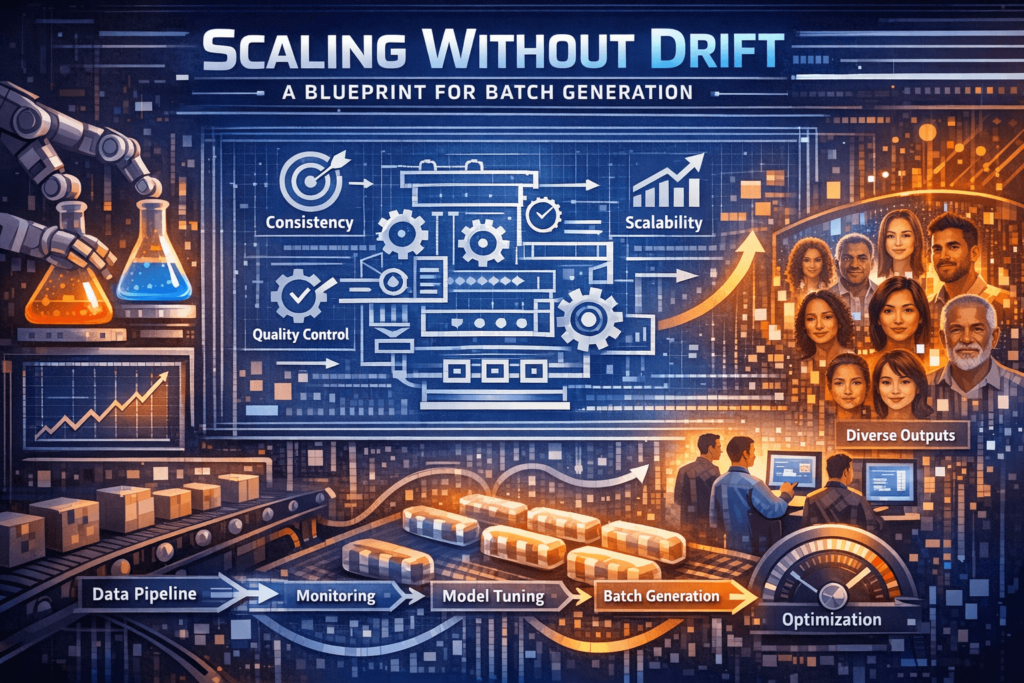
The central challenge in modern creative operations isn’t generating a single high-quality image; it’s generating a thousand of them that all look like they belong to the same brand. For growth teams and content creators, the “style drift” that occurs when moving from a landing page hero image to a set of Instagram stories and then to a series of programmatic display ads is the primary friction point. When every prompt results in a slightly different interpretation of your brand’s lighting, texture, and character consistency, the efficiency gains of AI are quickly swallowed by the manual labor of retouching.
To solve this, we have to look past simple text-to-image prompting and toward a structured pipeline. By utilizing tools like Banana Pro, teams can move away from the “slot machine” approach to generation and toward a repeatable, canvas-based workflow. This article breaks down the mechanics of scaling visual assets using the Nano Banana Pro model and its surrounding ecosystem.
The Core Engine: Understanding Nano Banana Pro
At the heart of a high-volume pipeline is the specific model architecture being used. While generic models are fine for experimentation, professional workflows require a balance between speed and adherence to specific aesthetic constraints. Nano Banana Pro is designed for this middle ground. It is optimized for responsiveness, allowing a designer to iterate on a concept in seconds rather than minutes.
When you are tasked with producing fifty variations of a product shot for A/B testing, the latent consistency of the model matters more than raw resolution. Nano Banana Pro maintains a specific “visual logic” across generations. This means if you define a specific lighting setup—say, soft-box studio light with a high-key background—the model is less likely to deviate into cinematic shadows or outdoor natural light unless explicitly instructed. This predictability is what makes batching possible.
Systematizing Consistency Across Channels
The biggest mistake teams make is treating every asset as a fresh start. To maintain consistency across ads, posts, and landing pages, you must establish a “Base Asset” protocol. This involves using the Banana AI Workflow Studio to pin down the core visual elements before scaling.
The process usually follows three distinct phases:
1. Establishing the Visual Anchor
Before generating a batch, you need a reference. This is where the Image-to-Image capabilities of the AI Image Editor become critical. Rather than relying solely on text, you provide the system with a “seed” image that captures the desired composition and color palette.
It is worth noting a significant limitation here: no AI model, including Nano Banana, perfectly replicates a brand’s exact HEX codes every time. There is an inherent variance in how AI interprets color under different lighting prompts. To mitigate this, professional operators often generate in “near-miss” palettes and use a standardized LUT (Look-Up Table) or a batch color correction tool in post-production. Expecting the AI to deliver brand-perfect color straight out of the box is an easy way to set yourself up for disappointment.
2. Using the Canvas for Multi-Asset Layouts
The “Canvas Workflow” within the platform allows for a non-linear approach to design. Instead of generating an image, downloading it, and then moving to another tool, the canvas lets you extend and modify images in real-time. For a landing page hero, you might need a wide 16:9 aspect ratio, but for a Pinterest pin, you need a 2:3 vertical.
Using the out-painting features, you can extend the background of a successful Nano Banana generation to fit different dimensions without losing the central subject’s integrity. This ensures that the texture of the background on your website matches the texture of the background in your social ads exactly, because they are literally the same latent space extension.
3. Prompt Templatization
Consistency in batching is often a byproduct of “locked” prompts. Once a specific aesthetic is achieved, the prompt should be treated as a template where only the “Subject” variable changes.
For example, a template might look like: [Subject], product photography, shot on 85mm lens, f/1.8, soft studio lighting, minimalist beige background, high-resolution textures, shot for Nano Banana Pro.
By keeping the environmental and technical parameters identical and only swapping the [Subject], you minimize the variables that cause style drift.
Scaling from Static to Motion
Modern campaigns are rarely static-only. The transition from a still image to a video asset is often where brand consistency falls apart. The Video Generator tools in the ecosystem are designed to take these static “anchors” and breathe life into them.
However, a moment of expectation-reset is necessary: AI video is still in its nascent stages regarding temporal consistency. If you take a character generated in Nano Banana and try to create a 30-second narrative, you will likely see “morphing” or shifts in detail. The most effective way to scale video assets right now is to focus on short, high-impact loops—cinemagraphs, subtle camera pans, or environmental shifts—that maintain the visual fidelity of the original static asset.
The Role of the AI Image Editor in Refinement
Batching doesn’t mean “one click and done.” It means 90% of the work is automated, leaving the final 10% for human oversight. The built-in AI Image Editor serves as the quality control hub.
When generating a batch of 100 ads, perhaps 15 will have minor artifacts—a blurred edge on a product, a strange shadow, or a misinterpreted texture. In a traditional workflow, these would be discarded. In a tool-savvy workflow, these are sent to the editor for in-painting or “erasing and replacing” specific segments.
This “Human-in-the-loop” approach is what separates amateur AI use from professional production. The goal is to use the AI to do the heavy lifting of composition and lighting, while the operator uses the editor to ensure the final output meets the brand’s quality bar.
Workflow Optimization for Content Teams
If you are leading a creative operations team, the objective is to reduce the “cost per asset.” To do this, you need to move away from the Home generation tab and into the Workflow Studio.
The Batch Processing Logic
- Selection: Generate 10 variations using different seeds but the same prompt.
- Selection: Pick the “Golden Image” that most closely aligns with the brand guide.
- Expansion: Use that Golden Image as the reference for an Image-to-Image batch.
- Verification: Run the batch through the Nano Banana engine for rapid throughput.
- Modification: Use the editor to fix localized errors.
- Export: Push to the Canvas for resizing and final layout.
This systematic approach prevents the team from getting “lost” in the generative process. It provides a clear start and end point, which is essential for meeting deadlines.
Navigating the Limitations of Generative Production
It is important to be grounded about what this technology can and cannot do in a production environment. One significant hurdle is text rendering. Even with the advancements in models like Nano Banana Pro, complex text strings within an image often require manual correction or should be added as a vector layer over the AI-generated background.
Another uncertainty involves “latent bias.” If your prompt is too vague, the model will fall back on its most common training data, which might not align with your brand’s unique voice. This is why the “Editorial” voice is so important—it requires a designer who understands photography, lighting, and composition to “steer” the AI effectively.
Furthermore, while the system is incredibly powerful for creating environments and objects, high-fidelity human anatomy in complex poses still requires a high degree of “generative luck” or multiple rounds of in-painting. Teams should plan for this extra time when a campaign is human-centric.
The Commercially Aware Conclusion
Scaling visual assets isn’t about finding a tool that does everything perfectly; it’s about building a pipeline that manages the imperfections of AI effectively. By leveraging the specific strengths of Nano Banana and the broader Banana Pro suite, teams can significantly increase their output without the typical drop in quality associated with high-volume production.
The future of creative work isn’t the replacement of the designer, but the evolution of the designer into a “creative director of machines.” By focusing on anchor images, prompt templates, and canvas-based editing, you can ensure that whether you are producing one image or one thousand, the brand remains recognizable, consistent, and professional.
The efficiency of Banana AI lies in its ability to bridge the gap between a raw prompt and a finished, production-ready asset. As the tools continue to evolve, the teams that have already established these structured workflows will be the ones best positioned to take advantage of the next leap in generative speed and fidelity.