
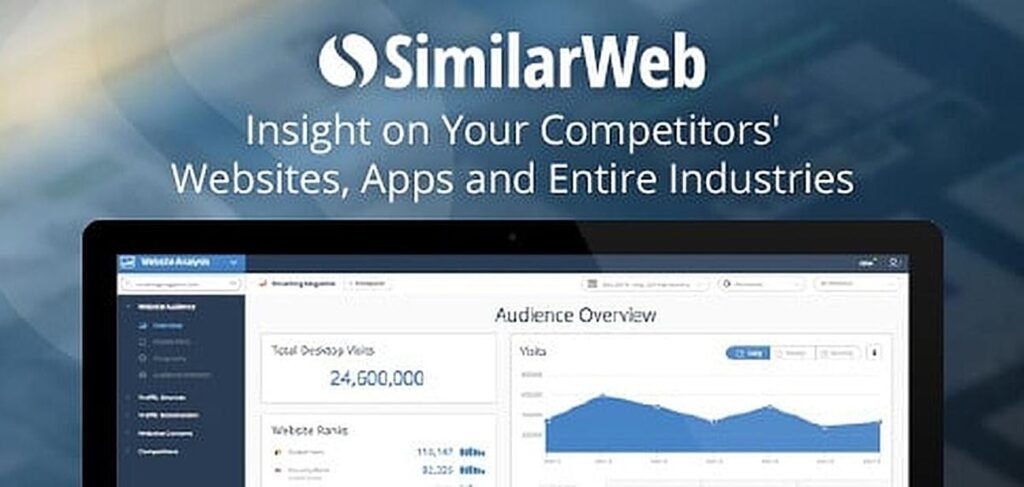
In the digital era, understanding website performance is no longer optional—it’s essential. Whether you are a marketer, business owner, or SEO professional, knowing how a website attracts traffic, engages users, and performs against competitors can determine success. Similarweb is a powerful tool designed to provide comprehensive insights into website traffic, audience behavior, and industry trends. Unlike tools that only track your own website, Similarweb offers a broader perspective, revealing market patterns, competitor performance, and growth opportunities.
With this intelligence, you can make informed decisions for marketing campaigns, SEO strategies, content planning, and overall business growth. This article explores how to use Similarweb effectively, from setting up an account to interpreting its data, comparing competitors, and leveraging insights to boost digital performance. By the end, you will be equipped with practical knowledge to turn analytics into actionable strategies that drive real results.
What is Similarweb and Why It Matters
Similarweb is a market intelligence platform that estimates website and app traffic, user engagement, audience demographics, search trends, and competitive rankings. Unlike first-party analytics tools, which only measure your own website’s performance, Similarweb aggregates data from multiple sources, including anonymous panels, public datasets, and ISP data, to provide insights across industries and countries. This allows businesses to benchmark themselves against competitors, understand user behavior trends, and uncover opportunities to grow their online presence.
With Similarweb, businesses gain a bird’s-eye view of the digital market, which is crucial for marketing strategy, SEO planning, content creation, and performance tracking. By combining both internal analytics and market-wide intelligence, organizations can make more informed, data-driven decisions.
Step-by-Step Guide: How to Use Similarweb
1. Creating Your Account
To start exploring Similarweb:
-
Visit the Similarweb website and sign up using your email or professional credentials.
-
Choose between a free account or a trial of the advanced version. The free account allows basic website queries, while the paid version unlocks deeper insights, including historical data and detailed keyword analysis.
-
Log in to access the dashboard and start exploring analytics.
2. Navigating the Dashboard
The dashboard is your main hub. It provides:
-
A search bar to analyze any website domain.
-
Overview charts of recent queries and trends.
-
Sections for traffic, engagement, audience demographics, and competitive insights.
Depending on your subscription level, you may have access to more advanced metrics and historical data.
3. Analyzing Website Traffic and Engagement
After entering a domain in the search bar, you can review:
-
Total visits: Estimated monthly website traffic.
-
Engagement metrics: Average visit duration, pages per visit, and bounce rate.
-
Traffic sources: Identifying whether traffic comes from search, social media, referrals, or direct visits.
This data helps you understand overall performance and identify which channels are most effective.
4. Exploring Traffic Sources
Similarweb categorizes traffic sources, helping you understand how visitors reach a website:
-
Search traffic: Organic and paid search results.
-
Social traffic: Visitors from social media platforms.
-
Referral traffic: Visits from other websites.
-
Direct traffic: Users who type the URL directly or access bookmarks.
Analyzing these sources helps allocate marketing efforts where they matter most.
5. Understanding Audience Demographics and Behavior
Audience insights provide valuable information about your visitors:
-
Location: Countries contributing the most traffic.
-
Device usage: Desktop vs. mobile traffic patterns.
-
Engagement behavior: Average session time and interaction levels.
This data supports better content targeting, marketing personalization, and user experience improvements.
6. Benchmarking Against Competitors
Similarweb allows you to compare multiple websites simultaneously:
-
Assess strengths and weaknesses relative to competitors.
-
Identify traffic gaps and opportunities.
-
Discover industry trends and adjust your strategy accordingly.
Competitive benchmarking is critical for staying ahead in dynamic digital markets.
Best Practices to Maximize Similarweb Insights
1. Combine with First-Party Analytics
While Similarweb provides market-wide intelligence, its data is estimated. Pair it with tools like Google Analytics for precise internal metrics, creating a more complete picture of performance.
2. Monitor Trends Over Time
Track metrics monthly or quarterly to observe seasonal shifts, audience behavior changes, and competitor strategies. Trends are often more informative than a single snapshot.
3. Focus on High-Impact Channels
Traffic volume alone doesn’t indicate value. Analyze engagement metrics like time on site, pages per visit, and conversion potential to focus on the most productive channels.
4. Leverage Keyword Insights
Use Similarweb’s keyword data to uncover popular search terms and optimize content and paid campaigns. Identifying trending or high-performing keywords can significantly improve SEO results.
5. Use Historical Data for Strategic Planning
Paid accounts allow access to historical trends, showing how competitors’ strategies evolved. This can guide forecasting and long-term planning for your own website.
Benefits of Using Similarweb
Using Similarweb offers several advantages:
-
Comprehensive market insights: See the big picture beyond your website.
-
Competitive analysis: Understand competitors’ traffic sources, engagement, and keywords.
-
SEO and content strategy: Optimize based on audience interests and search trends.
-
Data-driven decisions: Make informed choices about marketing budgets, campaigns, and product launches.
-
Global benchmarking: Analyze international competitors or emerging markets.
Limitations to Keep in Mind
Similarweb is a powerful tool, but there are some limitations:
-
Estimated data: Traffic numbers are approximations, especially for smaller websites.
-
Paid features: Advanced analytics and historical data require a subscription.
-
Sampling bias: Traffic data relies on certain panels and sources, which may slightly skew results.
Awareness of these limitations ensures realistic interpretation and better decision-making.
Read More: Kongotech.org: Comprehensive Review, Risks & Real Uses
Conclusion
Similarweb is a must-have tool for anyone seeking to understand website performance, benchmark against competitors, and gain market insights. It provides detailed estimates of traffic, audience behavior, search trends, and engagement metrics, allowing businesses to make smarter, data-driven decisions. By combining Similarweb insights with first-party analytics, organizations can create a comprehensive digital strategy that leverages both internal and external perspectives. Whether you are optimizing SEO, planning marketing campaigns, exploring new markets, or analyzing competitors, Similarweb equips you with actionable intelligence to grow your online presence.
While its data is estimated and advanced features require subscriptions, the ability to see trends, compare sites, and uncover opportunities makes it invaluable for marketers, business owners, and analysts. By following best practices and regularly monitoring insights, you can transform digital data into meaningful strategies that deliver measurable growth and competitive advantage.
FAQs
1. How to use Similarweb to analyze competitors?
Enter a competitor’s website, review traffic, engagement, audience, and source metrics, then benchmark against your own website.
2. How to interpret traffic source data in Similarweb?
Traffic sources show the channels driving visitors: search, social, referrals, and direct traffic. Understanding this helps prioritize marketing efforts.
3. How to use Similarweb for keyword insights?
Analyze top-performing keywords and trending search terms to enhance SEO, content strategy, and paid campaigns.
4. How to create a free Similarweb account?
Sign up on the Similarweb website, choose a free or trial account, and start exploring website and market analytics.
5. How to compare multiple sites in Similarweb?
Use the comparison tool to analyze up to five websites side-by-side, reviewing traffic, engagement, and audience overlap for competitive insights.