
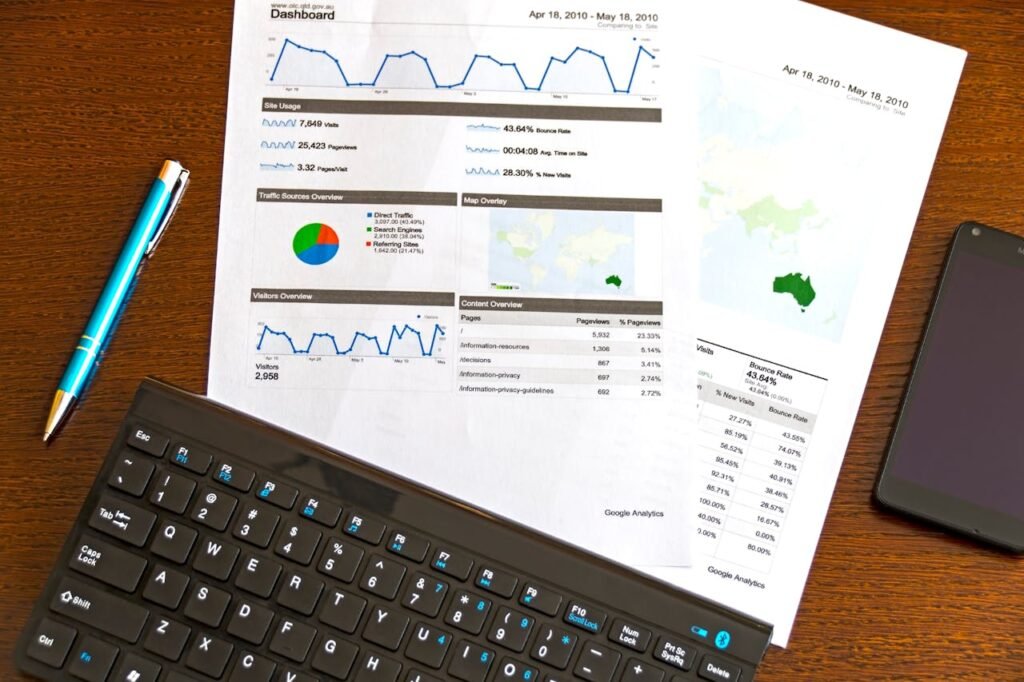
Many teams spend a lot of time perfecting their brand identity on their websites, advertisements, and social media posts. On the other hand, analytics dashboards feel like they are from another planet. When the analytics dashboard does not match with the brand system, the dashboards do not have a connection with the brand; therefore, they can be difficult to trust and even more difficult to navigate.
A brand-ready analytics dashboard merges strong design standards with functional uses of data. Below is a brief description of how you can build a brand-ready analytics dashboard.
Start With Brand Systems
The first step to developing a brand-ready analytics dashboard is to start with the brand system and develop the analytical dashboard based on that. Brand teams define the system that they use to create an analytics dashboard. Therefore, if you want an analytical dashboard that appears to be on-brand, you must begin where the brand team started.
Typography
Brand-ready analytics dashboards typically follow the same typographic scale as the logos, marketing material, and product UIs, including head size, body size, font weights, and spacing rules.
The typographic scale does not just serve to be aesthetically pleasing; following a disciplined typographic scale helps improve the visual hierarchy and legibility of the analytical dashboard. Improving the visual hierarchy and legibility of an analytics dashboard is even more important when the user is quickly scanning the dashboard.
Design Tokens
To create a polished feel for dashboards, design tokens should be used to establish the visual cadence users expect. Although many analysts view design tokens as ‘too design-y,’ they are essential for success in creating polished and professional dashboard designs.
Color Palettes
To create an effective dashboard and maintain accessibility, dashboards should use a palette of primary and secondary colors that correspond to the brand’s overall color scheme. The DataCamp Tableau course and other training materials help train users on converting design palettes to functional visualization palettes.
Icons help to communicate meaning and create familiarity across applications. Therefore, designers should use a library of icons for filters, alerts, segments, and KPIs that are consistent and follow the same design pattern to foster familiarity.
Balancing Design/Brand and Usability/Performance
Dashboards cannot only be visually branded well; they must also function efficiently and be usable by all.
Impact of Load Times
Dashboards that are overly designed, i.e. those with excessive use of images, a large number of sheets, and an overuse of complex formulas, negatively affect performance as they become slow to render. Adding brand consistency to your dashboard should not create additional overhead—a brand should reflect everything done in a manner that allows for quick loading. Use Vector graphics, optimize SQL queries, and limit cumulative layout creation.
Don’t Rely Solely on Color
Designing your dashboard using only color for representation is a mistake. By doing this, you limit the effectiveness of the dashboard. Use text labels, add texture/pattern to each type of data, or use subtle shapes to differentiate data categories.
Default Readability
Branding means creating a memorable visual identity, but it also means ensuring that your typography is easy to read. Thin fonts, low-color contrast, and overtyped numbers are all detrimental to readability. Make your data as easy to read as possible and then embellish the look afterward.
Defining Workflow Between Design and Analytics Teams
Workflow gets smoother when both teams understand where responsibilities begin and end.
1. Design Creates the Dashboard Style Kit
A Dashboard style kit should include the following elements; it should also help ensure that the analytics team won’t have to re-invent the brand:
- Brand colors that have been adapted for data visualization
- Typography scale and hierarchy
- Spacing and layout instructions
- Component rules (filters, legends, cards, tooltips)
- Set of icons/usage guidelines
2. Analysts Build the Functional Framework
In the second phase, analysts use the style guide to prototype the dashboard:
- Create a layout sketch
- Determine required charts
- Create calculations
- Evaluate performance
- Include accessibility testing
- Analysts concentrate on the user’s comprehension needs instead of aesthetics.
3. Designers Review for Alignment
In the third phase, designers evaluate the prototype for consistency. They do not recreate the dashboard design but instead refine it by:
- Maintaining consistent space
- Using the appropriate tokens
- Improving contrast
- Creating a clear hierarchy
- Making interactions tighter
This reduction of iteration cycles will have a substantial impact on efficiency.
4. Joint Testing
Both teams observe end-users interacting with the dashboard to verify:
- Insight clarity
- Scan-friendliness
- Interaction workflow
- Visual consistency
- Load times
Once verified, the dashboard is ‘graduated’ to the approved Template Library.
Governance Is the Only Way Dashboards Will Remain Consistent Long-Term
Without governance, even the best created style kits will begin to disintegrate. This is the approach that teams follow to combat the deterioration of their dashboards.
Template Library
Create and maintain an approved library of templates for KPIs, monthly reports, Executive Summary Templates, and deep-dive analysis templates. These should be easy for other analysts to copy and modify as needed.
Version Control
The existence of a shared version control repository means that no templates are being changed outside of the version control system and outdated templates are not floating around for other users to accidentally use.
Checkpoints for Reviews
Just like marketing materials, anything that goes to leadership or is shared with everyone in the company should have passed through a quick design-consistency review.
Analyst Training and Upskilling
Analysts need real-world training to be able to implement brand-specific systems in BI tools. That’s why analyst programs are worth the investment of time and money: A skilled analyst can produce better-quality dashboards faster and with fewer handoffs.
Endnote
Brand-aligned dashboards encourage trust in the information, which makes them easier to navigate. In addition to having clear and visible patterns, they enable decision-makers to process quickly. Data presentation is no longer just important, it is essential for effective decision-making in an increasingly data driven society.
Building a branded system means creating a solid base from which to build a scalable, effective and streamlined approach to how dashboards are created, maintained, and distributed.