
Some days, sitting down to study feels effortless; on others, even opening a notebook can feel heavy.
“Study with me” videos exist for that in‑between state, offering a quiet presence on the screen so viewers do not feel like they are working alone.
With Sora 2 inside S2V, a calm study atmosphere no longer depends on filming the perfect room or owning professional equipment. A simple description of a desk, a lamp, and a certain time of day can be turned into a scene that looks and feels like a real place to focus.
For creators who want a reliable study corner that is always “on,” this approach makes it possible to build custom companion videos that match different moods, schedules, and goals—without needing to press record every time.
I. The Core of an Immersive “Study with me”: Visuals, Pace, and Mood
1. Start with intention: who is this video for and for how long
A “Study with me” video works best when it is built around a clear use case: a 25‑minute deep focus block, a 50‑minute review session, or a quiet late‑night reading slot.
Shorter segments that loop smoothly help viewers slip into concentration without noticing where the video begins or ends.
Deciding on session length, time of day, and type of work up front gives later prompts real clarity instead of guesswork.
2. Scene design: a workspace viewers actually want to sit in
Viewers often concentrate better when the on‑screen space looks like their ideal study corner.
A calm room with a neat desk, soft lamp light, organized shelves, and a gentle laptop glow naturally invites the viewer to mirror that focus.
Different aesthetics—minimal wooden desk, dark academia library, sunlit café table—can each be turned into distinct scene concepts ready for text‑to‑video creation.
3. Controlling emotion: lighting, movement, and quiet energy
Lighting, camera motion, and subtle actions strongly influence how peaceful or restless a session feels.
Slow moves, warm tones, and gentle environmental motion (curtains shifting slightly, soft rain on the window) signal calm concentration instead of stress.
Avoiding frantic cuts, heavy contrast, or busy backgrounds stops the video from stealing attention away from the viewer’s own work.
II. Meet Sora 2: From Text to Immersive “Study with me” Scenes
1. How Sora 2 fits inside S2V
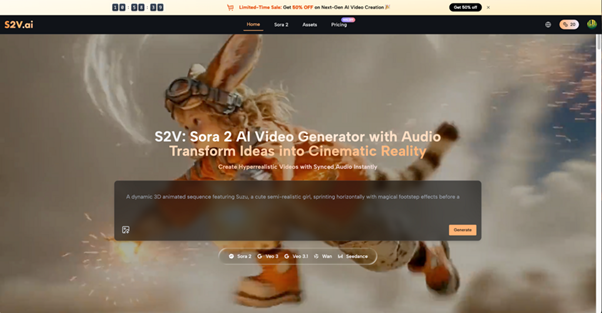
Sora 2 is the text‑to‑video engine that powers high‑quality, prompt‑based video creation inside S2V.
Inside this environment, written descriptions of study rooms and routines can turn into short scenes with realistic motion and convincing detail.
This removes the need for a physical set and makes it easy to try several study atmospheres in minutes instead of days.
2. Key abilities: text‑to‑video and image‑to‑video
Sora 2 AI enables creators to turn short written prompts into moving study scenes with clear actions, camera angles, and mood.
Text‑to‑video can handle full scenarios such as “dimly lit dorm desk at 1 a.m., student highlighting notes, headphones on, gentle rain outside a window.”
Image‑to‑video lets a still photo of a desk or room come alive with subtle motion, which is ideal for turning a favorite real space into a signature study environment.
3. Quality and motion suited for long “Study with me” sessions
Sora 2 AI Video focuses on strong resolution and believable physics, so lamps, books, screens, and small gestures feel natural rather than uncanny.
Details like page turning, pen strokes, steam from a mug, or reflection on a laptop screen add a sense of presence without becoming distracting.
This fine‑grained motion helps “Study with me” videos stay calm yet alive, so viewers remain engaged over long stretches.
III. Using S2V to Design a Personal “Study with me” Space
1. Structure the idea: time, task, and tone
Before opening any tool, it helps to break the concept into a few essential layers.
Typical layers include time of day (morning, afternoon, midnight), study type (reading, coding, solving problems), and desired energy level (soft, neutral, slightly intense).
Each of these becomes a cluster of prompt phrases that can be combined and refined inside S2V with the help of Sora 2.
2. Strong prompts: subject, action, environment, light, and camera
Effective prompts for Sora 2 AI usually include who or what is in the scene, what is happening, where it takes place, how it is lit, and how the camera behaves.
For instance: “cozy student desk at night, college student writing notes by hand, warm desk lamp, light rain on the window, slow zoom‑in, peaceful atmosphere.”
Changing only one or two elements at a time—such as switching “night rain” to “sunny morning” or “library corner”—makes it easy to grow a whole set of related clips.
3. Turning still photos into living desks
If there is already a favorite photo of a real study spot, S2V can use image‑to‑video to animate that exact setup.
This can add gentle hand movements, screen glow, or outside motion while keeping the layout, color, and overall feeling of the original picture.
The result is a “Study with me” space that feels personal and familiar but polished enough for repeated use on channels or playlists.
IV. From Idea to Library: Building Reusable “Study with me” Material
1. Plan a small library instead of a single video
Rather than putting all effort into one long piece, many creators see better results by building a compact library of short scenes.
Examples include: focused late‑night note‑taking, quiet afternoon reading, laptop work in a library, or early‑morning planning with a notebook.
These clips can be reordered, stacked, or looped to support different schedules without starting from zero each time.
2. Anchor the content in a few signature moods
Viewers tend to return to channels that match their natural rhythm, so anchoring around several core moods makes sense.
With Sora 2, creators can define “golden‑hour desk by the window,” “blue‑toned midnight with city lights,” or “bright morning sunlight over scattered papers” as key looks.
Reusing these moods across videos makes a channel or brand feel consistent even when the scenes themselves change.
3. Use multiple generations to refine details
Because S2V makes regeneration quick, prompts do not need to be perfect on the first try.
Creators can start with a simple description, check the result, then tweak wording to adjust camera speed, clutter level, or strength of the light.
Over time, this cycle of small improvements shapes a distinctive style that feels intentional and recognizable.
V. Practical Uses: Three Types of High‑Retention “Study with me” Content
1. Pomodoro‑style focus blocks
Short focus blocks—such as 25‑minute or 50‑minute “Study with me” sessions—can be built from a handful of carefully matched clips.
Each clip might show the same room from different angles or zoom levels, keeping the viewer subtly engaged while the setting stays familiar.
With Sora 2 working through S2V, new variations can be produced far faster than re‑shooting real‑life footage with full gear.
2. Task‑specific rooms: exams, coding, and professional exams
Different tasks call for different visual cues to put viewers in the right mindset.
Exam preparation scenes may emphasize heavy textbooks, highlighted notes, and highlighters, while coding setups lean on monitors, keyboards, and cooler, darker light.
By preparing themed sets of clips using Sora 2 AI, creators can serve niche audiences who want a matching “Study with me” for each type of work.
3. Seasonal and holiday moods for long‑term connection
Seasonal scenes, such as autumn leaves outside a window or soft winter light with a warm drink, create a sense of time moving with the viewer’s own progress.
Sora 2 AI Video can weave in seasonal decor, weather changes, or different outfits while keeping the same core desk and layout.
This slow visual progression encourages viewers to come back throughout the year and treat the channel as a steady study companion.
VI. Why S2V Helps “Study with me” Creators Stand Out
1. Multiple top‑tier models in one place
S2V combines several leading video engines, including the full Sora 2 family, inside a single, unified interface.
Creators can handle both text‑to‑video and image‑to‑video workflows without bouncing between different services or tools.
For anyone running a channel or growing a brand, this reduces friction and keeps attention on content ideas instead of technical juggling.
2. Visual and audio quality ready for serious channels
The video output inside S2V is designed to look cinema‑grade, with strong color, detail, and motion that hold up on large screens.
Built‑in audio options make it possible to create ambient soundscapes that match the study scene without separate sound design.
For monetized or branded “Study with me” content, this combination of quality and clear usage rights can be a major advantage.
3. Friendly for non‑technical creators
The workflow in S2V centers on natural language descriptions, so creators can focus on mood, scenes, and stories instead of complex timelines.
Students, educators, and solo creators who do not consider themselves technical can still produce polished “Study with me” series.
Fast feedback loops mean ideas can be tested quickly, and only the most effective styles are kept and expanded.
VII. Conclusion: Focus On Demand
A good “Study with me” video is a repeatable signal to the brain: it’s time to work.
With Sora 2 inside S2V, that signal can be built once and reused whenever focus is needed.
Creators who enjoy refining scenes can rely on Sora 2 AI to adjust mood, lighting, and motion without reshooting anything.
Each tweak makes the study space feel more personal and more effective.
Shared with others, clips made using Sora 2 AI Video become a quiet form of support.
They wait on the screen, ready to turn a messy day into a small, achievable study win.