
Preparing a Sunday service should not require volunteers to spend hours copying lyrics, formatting Bible verses, organizing sermon slides, and searching through folders for the right files.
Yet this is exactly how many churches manage their weekly presentations.
The individual tasks may seem small. A worship song needs to be formatted. A Bible passage needs to be added. An announcement needs to be inserted. A video needs to be tested. But when these tasks are repeated every week, they create a significant workload for a volunteer media team.
The right church presentation workflow can eliminate much of this repetitive work and make Sunday services easier to prepare and operate.
Where Church Media Teams Lose Time
The biggest problem is often not the presentation itself. It is everything that happens before the presentation.
A typical workflow may involve:
- Receiving song lyrics by email
- Copying lyrics into presentation slides
- Searching for Bible passages
- Formatting Scripture manually
- Downloading images
- Finding sermon graphics
- Organizing videos
- Rearranging slides
- Checking the service order
- Testing everything before Sunday
When different programs are used for each task, volunteers also have to move content between systems.
That creates unnecessary work.
A church may have perfectly good tools but still spend too much time preparing because the tools do not work together efficiently.
What a More Efficient Workflow Looks Like
A streamlined Sunday presentation process should begin with the service plan.
The media team collects the content and organizes it according to the actual order of the service.
For example:
Welcome → Worship → Scripture → Sermon → Response → Announcements
Each section can then be prepared before Sunday.
This gives the operator one clear presentation sequence instead of a collection of unrelated files.
The goal is simple: prepare once, then present confidently.
Stop Rebuilding the Same Worship Songs
Most churches repeat songs.
If a song has already been prepared, there should be no reason to recreate its presentation from scratch every time it appears in a worship set.
A reusable song library can save significant time.
Once lyrics have been checked and formatted, the media team should be able to use them again and simply adjust the order for the current service.
This becomes even more valuable when a church has dozens or hundreds of songs.
A good system should make it easy to search for a song, add it to the service, and modify the arrangement when necessary.
Make Bible Presentation Faster
Bible verses are another source of repetitive work.
Copying Scripture from external sources and manually formatting every passage takes time and introduces opportunities for errors.
A dedicated Bible presentation workflow can make this process considerably simpler.
The operator should be able to find the required passage, select the appropriate translation, and prepare it for display without creating every slide manually.
Long passages should also be easy to divide into readable sections.
This allows the media team to focus on the sermon instead of spending unnecessary time formatting Scripture.
Reduce the Number of Programs Volunteers Need to Learn
Volunteer turnover is a reality for many churches.
Someone who knows the presentation system extremely well may eventually move away, take a break, or become unavailable.
If the workflow depends on several complicated applications, training a replacement becomes difficult.
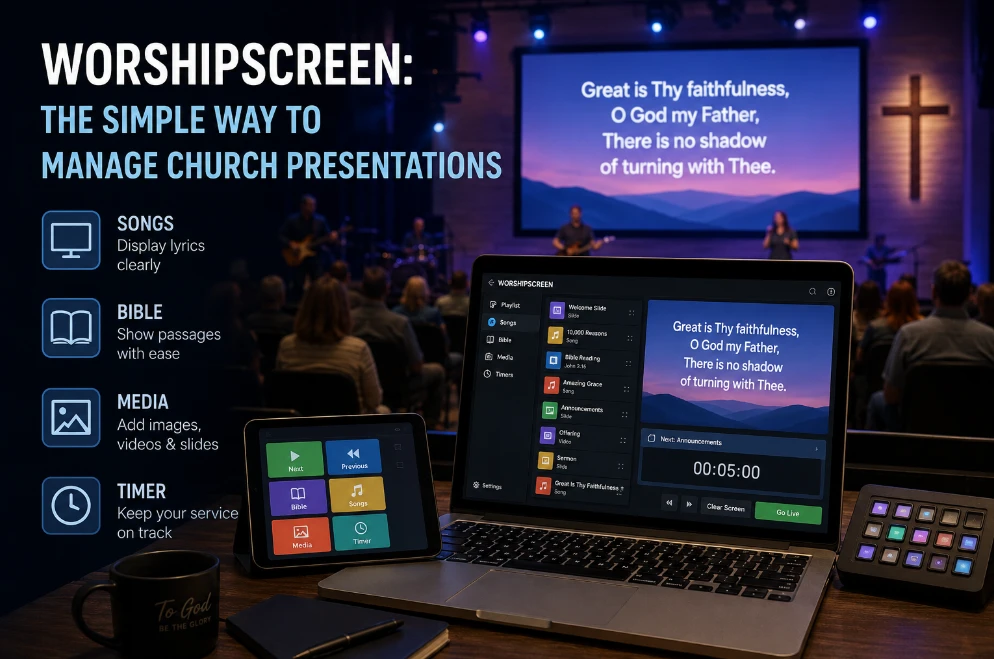
This is one reason many churches look for church presentation software that can bring worship lyrics, Bible content, and other Sunday presentation elements into a more manageable workflow.
The fewer unnecessary tools volunteers have to understand, the easier it becomes to train a new operator.
Make the Service Easier to Operate Live
Saving preparation time is only part of the benefit.
The presentation should also be easy to operate during the actual service.
A worship leader may repeat a chorus. A pastor may return to an earlier Bible passage. A sermon may change direction.
The operator needs to react quickly.
A good live presentation workflow should make it easy to:
- Move forward
- Go backward
- Find another song
- Return to a previous section
- Display Scripture
- Change the service order
The operator should not have to search through folders while the pastor is already speaking.
Why Manual Slide Decks Can Become a Problem
Traditional presentation files can work well for simple services.
The problem appears when the same church uses them for everything.
Every week, someone has to open the file, copy new content, format it, rearrange slides, and check whether everything is correct.
Over time, the presentation file becomes a large collection of individual slides.
Finding a particular song or Bible passage can become slow.
Changing the service order can also require manual editing.
A purpose-built church presentation system is designed around the recurring needs of a service rather than around a generic slide deck.
Make Worship Teams and Media Teams Work Together
Presentation problems often begin with communication.
The worship leader knows how the songs will be performed. The media operator needs to know that information before the service.
For example, the worship team may plan:
Verse → Chorus → Verse → Chorus → Bridge → Chorus
But the original song may have a completely different structure.
The presentation should follow the live arrangement.
A shared workflow makes this easier because the worship and media teams can work from the same service plan.
Give Volunteers More Time for Important Tasks
Saving twenty minutes may not sound significant.
Saving twenty minutes every week adds up.
Over a year, the media team could recover many hours that would otherwise be spent on repetitive formatting and file management.
That time can be used for more valuable work:
- Testing videos
- Improving presentation readability
- Training volunteers
- Preparing special services
- Checking the display system
- Supporting the worship team
- Improving the overall Sunday experience
Technology should reduce workload rather than create additional technical responsibilities.
What to Look for in Worship Presentation Software
If your church is considering a new presentation system, focus on practical questions.
Can volunteers quickly find songs?
Can Bible passages be prepared without unnecessary manual formatting?
Can the service order be changed easily?
Can the operator move between different types of content during a live service?
Can the system support the church’s existing screens and equipment?
Can a new volunteer learn the basic workflow quickly?
These questions are more important than simply comparing feature lists.
A platform with dozens of advanced functions is not necessarily better if volunteers struggle to use the basic ones.
A Useful Test: Build One Real Sunday Service
Before committing to new software, use an actual upcoming service as a test.
Include:
- Three worship songs
- Several Bible references
- Sermon points
- An announcement
- A video
- A last-minute change
Then compare the preparation process with your current workflow.
Measure how long it takes.
Notice where the volunteer gets confused.
Try changing the song order.
Try returning to an earlier Bible passage.
Ask another volunteer to operate the service.
This gives you a realistic picture of whether the software will actually save time.
Make the Change Without Rebuilding Everything
Churches do not necessarily need to replace their entire technology setup at once.
A presentation workflow can be improved gradually.
Start with the tasks that consume the most volunteer time.
For one church, that might be worship lyrics.
For another, it may be Bible presentation.
For another, the biggest issue may be organizing the entire Sunday service.
Once the biggest source of friction is identified, the church can choose the appropriate tools and workflow.
When an Integrated System Makes Sense
If your church is still moving between separate applications for lyrics, Scripture, sermon slides, and service content, it is worth evaluating whether an integrated solution could simplify the process.
For churches specifically looking for worship presentation software, the key question is not simply whether the platform can display lyrics.
It is whether it can make the whole Sunday presentation workflow easier for the people actually using it.
That means less copying, less searching, less repetitive formatting, and fewer last-minute technical tasks.
A well-organized presentation system can turn hours of weekly preparation into a much more predictable process. Instead of spending Sunday morning building the service under pressure, volunteers can arrive with the content already organized, tested, and ready to present.
That is where church presentation technology becomes genuinely valuable: not when it adds more features, but when it gives the media team back time.